Legacy BIM is Broken
For decades, the AEC industry has been held hostage by software that is slow, unpredictable, and opaque. DatumWorks is the antidote.
Performance First
Built on Rust, hecs (ECS), and WebGPU for raw speed.
- Instant interaction loops
- Massive model handling
- Zero bloat
Deterministic
Explicit geometry control. No random joins.
- Strict spatial hierarchy
- Priority snapping system
- Watertight precision
First-Class Docs
Documentation is the primary deliverable.
- Persistent, stable views
- Protected sheet layouts
- Unified 3D & 2D workflow
Why Rust?
The thread model tells the architectural story, but it's worth seeing where the performance gap actually hits in AEC-specific workloads.
Revit / single-threaded C++
Memory model
1 of 8 cores used during model regen
clock speed matters
most — not core count
Rust (multi-threaded)
Memory model
all 8 cores active — Rayon / Tokio
linear scaling
with core count
Technical Core
Native & Web Ready
Runs natively on macOS/Windows/Linux and deploys to the web via specific WebAssembly & WebGPU optimization.
OpenBIM Authoring
IFC doesn't have to be hard. We make OpenBIM easy and intuitive, handling the complex standards so you can just design.
Command Ledger
UUID-based system for infinite undo/redo and crash-proof data persistence.
Filesystem Collaboration
Collaborate with anyone you can share a folder with.
mergeIFC works on top of Dropbox, Drive, or any CDE.
The Interface
BIM tools are notorious for burying critical functions under ribbons, menus, and modal dialogs. DatumWorks takes the opposite approach: if you don't need it, you don't see it. What matters stays within reach.
Progressive Disclosure
The toolbar starts as a single button. Click to reveal modes. Pick a mode to see categories. Choose a category to reach your tools. Every level earns its way onto the screen — nothing is shown until it's relevant.
Context, Not Clutter
Properties appear when you select an element. Options surface when they apply. The interface responds to what you're doing, not what you might do. No permanent sidebars filled with greyed-out icons.
Spatial Hierarchy
Mode → Category → Tool. The toolbar expands in place, maintaining your spatial memory. You always know where you are and how to get back. A single back arrow unwinds each level.
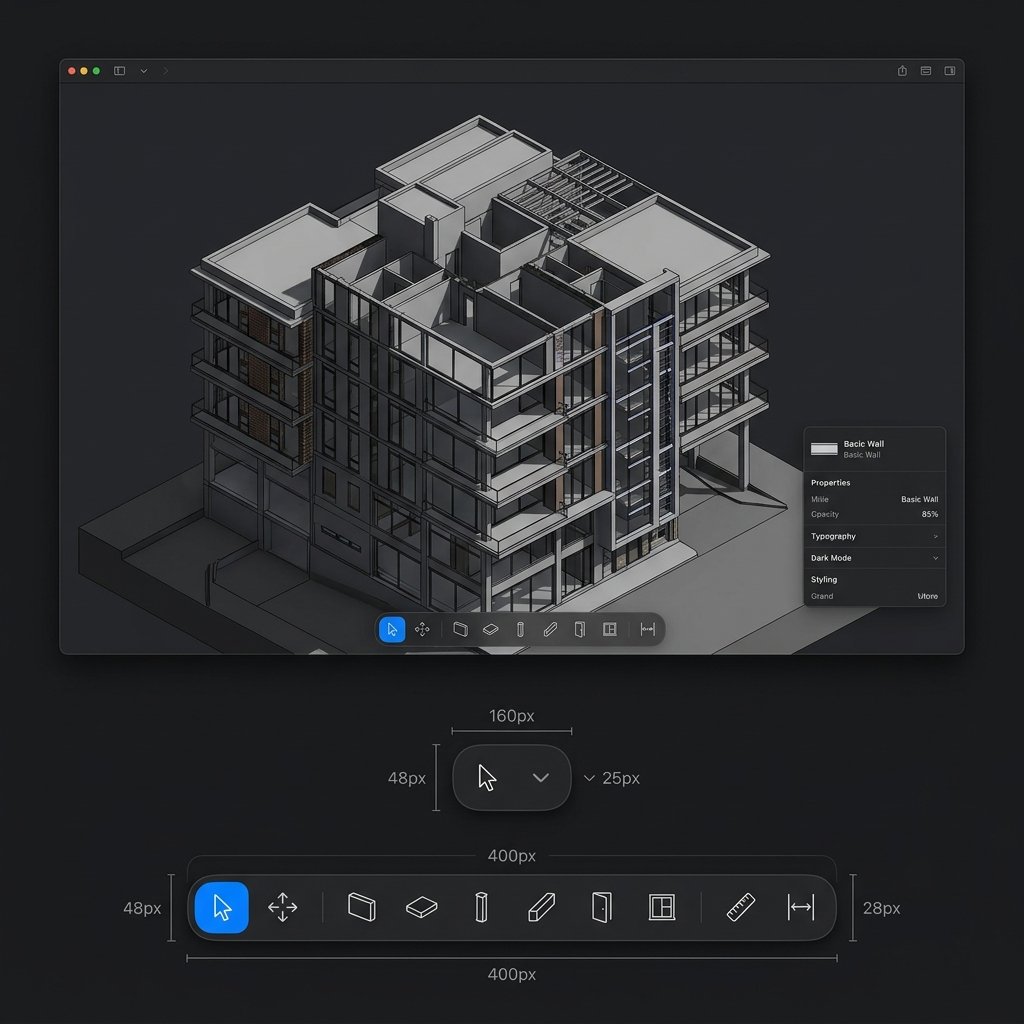
3D Viewport
Dark-mode native. The viewport is the workspace — properties, selection, and tools live at the edges, never competing with the model. GPU-accelerated via WebGPU.
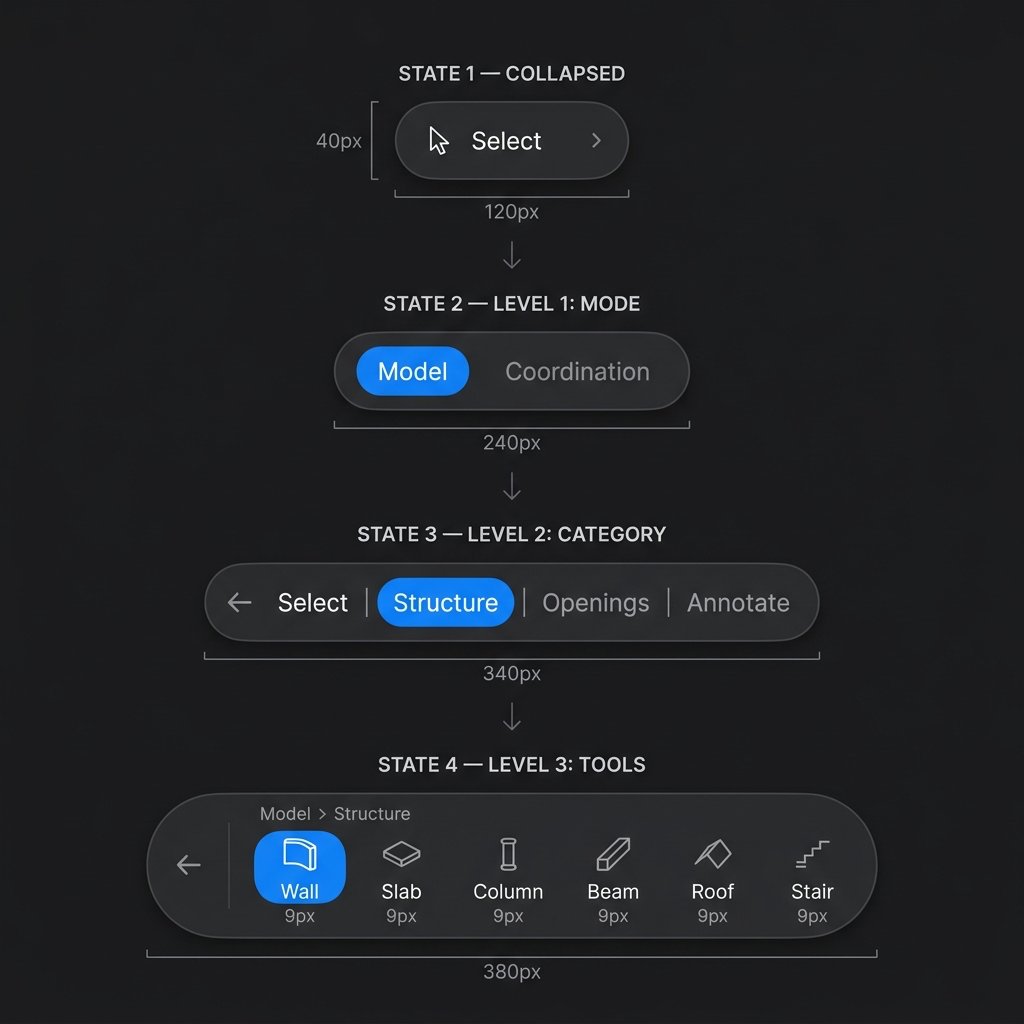
Progressive Toolbar
120px collapsed. 380px fully expanded. Four states, zero menus. The toolbar grows only when you ask it to, and every pixel it takes up is working for you.
Carter
Sr BIM Manager / Design Technology SpecialistFor over 16 years I have worked the intersection of design and technology, I believe process is just as crucial as outcome. I create tools, challenge existing conventions, and help others discover new working methods. DatumWorks stems from a simple belief: technology truly shines when it enhances human creativity. “More digital” doesn’t mean “less human.” It should simplify processes, reduce barriers, and foster better collaboration. While tools will undoubtedly improve, it’s important we don’t compromise to use them. Ultimately, good technology is invisible.
Fight for your design, not against your software.